
Help Center
How to activate a Windscribe subscription using a voucher key
To activate your Windscribe subscription, you first need a Windscribe voucher key. To purchase an genuine Windscribe Voucher key click here.
1. If you still do not have a Windscribe account, first go to windscribe.com
2. Then choose your account type: Standard or Hashed (there’s an option on the sign-up form).
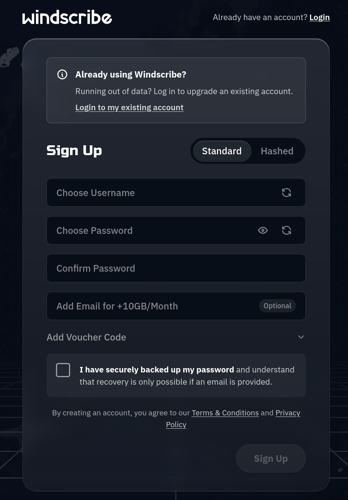
3. Then fill the form accordingly.
4. And finally click on Create Account or Signup.
5. After signing into your account, go to your account dashbaord
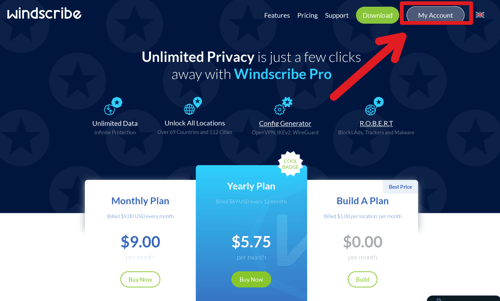
6. Then navigate to Billing located on the left sidebar.
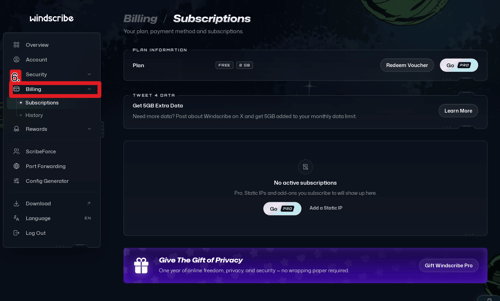
7. And click Subscriptions and then click on Redeem Voucher.
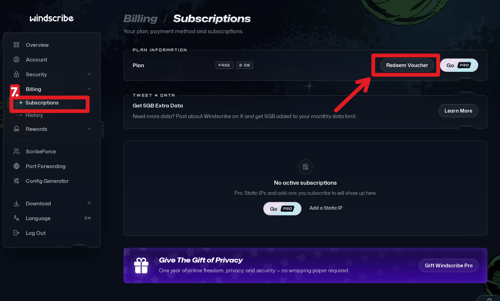
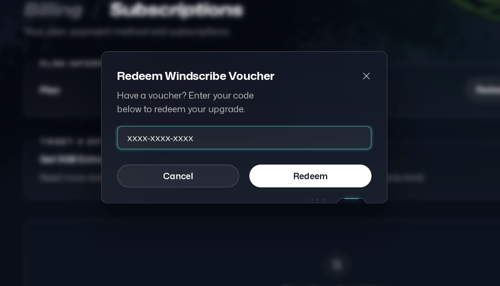
8. Then a box will appear in which you will need to enter the code we sent you, and then click on Redeem button.
And your subscription is now active.


